
Server to Server Pixel Flow
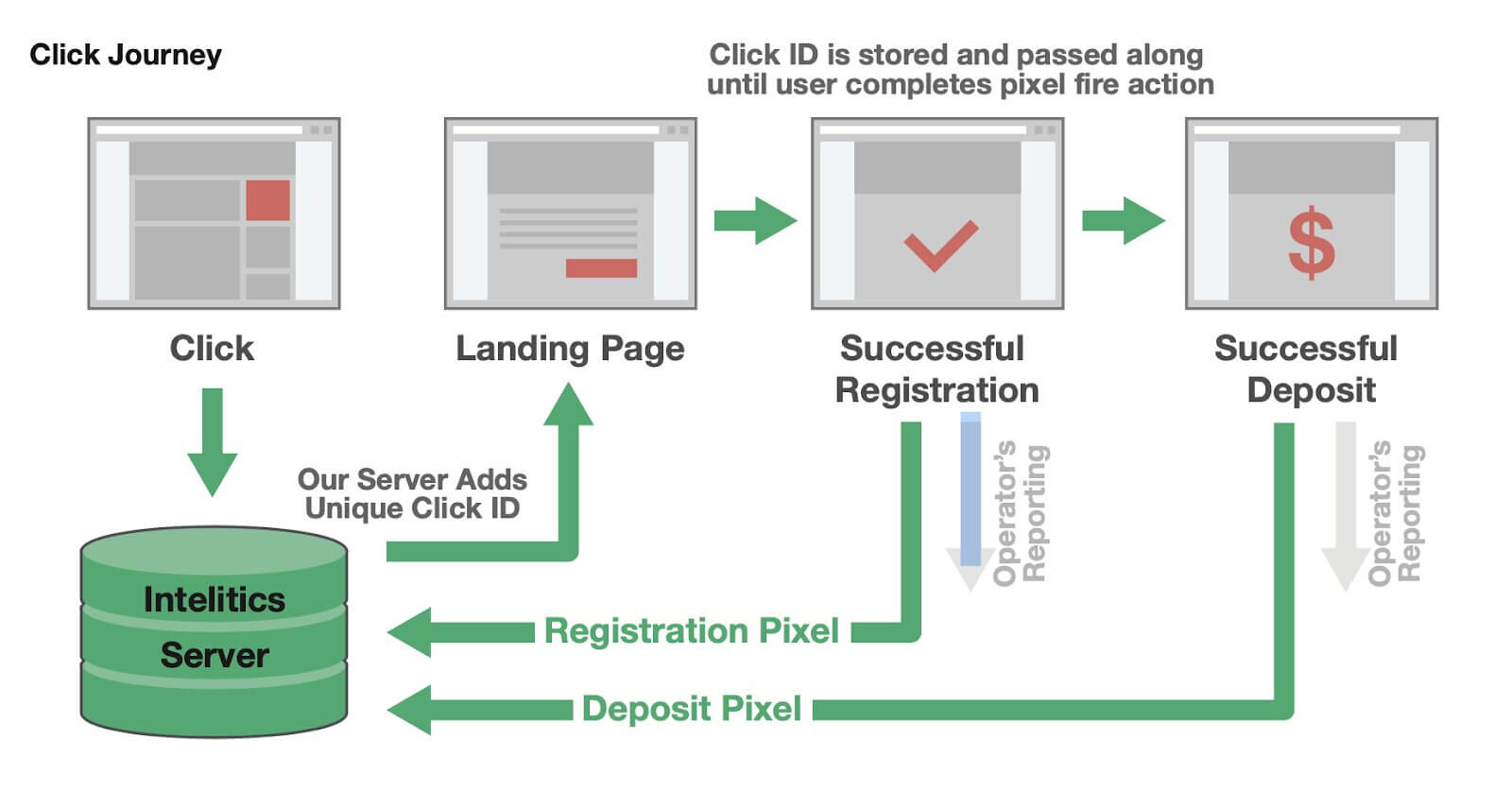
When a partner utilizes a tracking link, the end user follows the following journey
- User clicks on a unique tracking link
http://trackingexample.com/track/xxxxxxx/?s1=xxxx..- Intelitics server appends a unique dynamic variable for every click, called a ClickID, and performs a redirect to the operator’s site (Landing Page)
eg. ClickID= 123456789
http://operatorlink.com/?clickid=12345678&...- When the visitor reaches the landing page, the Click ID is collected and stored on Operator’s Server
- User registers/deposits
- Operator makes a server side call to Intelitics instance via postback URL (Including the Click ID variable)
https://trackingexample.com/convert/12345678?type=registration