

If you have an affiliate that you would like to add/adjust payment for any given month, you can do so by using the “Adjustments” function.
Navigate to Accounting > Adjustments
-
Search for Partner - Add desired affiliate
-
Offer (Optional) - Select Offer that you would like to adjust/add
-
Amount - Input the amount you will be paying out (cost). Can be positive(additional cost), or negative (debt)
-
Currency - Select currency (EUR, GBP, USD)
-
Date - Select the date you would like the adjustment to be applied. You can only adjust unclosed months
-
Notes - Add any notes here for record keeping/ comments. These notes will be visible to selected users
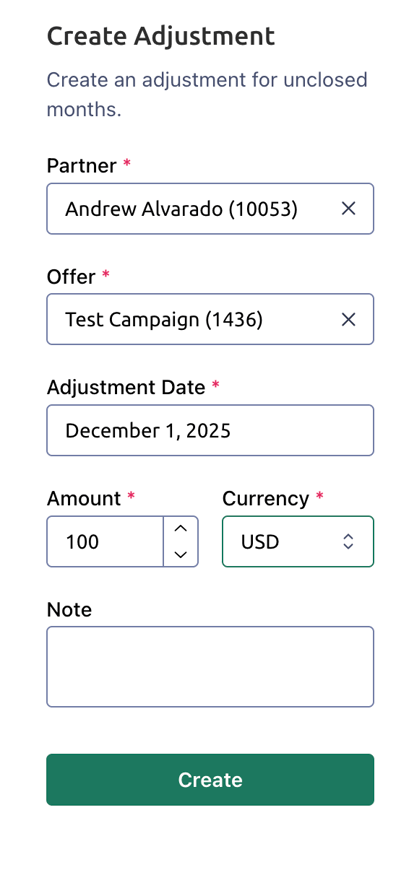
Hit “Create”